
Explore the award-winning Thinkware dash cam features that improve recording quality, parking protection, connected convenience, and driver awareness. Feature availability varies by model, so product pages remain the source of truth for exact specifications.
This is an expanded feature library. Not every dash cam includes every feature listed here. Check each product page for exact model compatibility.


Hardware Built for the Vehicle


Anti-Vibration Adhesive Mounting
Thinkware dash cams use compact adhesive mounts designed to stay secure during strong impacts, reduce vibration, and minimize windshield glare.
Built-In 3-Axis G-Sensor
The G-sensor automatically captures and saves a 20-second clip when impact is detected, including footage before and after the event.
Built-In Microphone and Speaker
Audio recording and voice guidance add useful context to driving footage and day-to-day operation.
Core Recording Features
Loop Recording
Continuously records in short clips and overwrites the oldest files so the latest footage stays available.
Continuous Recording
Starts automatically when the engine turns on and saves driving footage in one-minute clips.
Incident Recording
Detects impacts while driving or parked and stores the important footage in a separate folder for easier retrieval.
Motion Detection Recording
Captures nearby motion in Parking Surveillance mode, saving footage before and after motion or impact is detected.
Privacy Recording
Automatically deletes continuous recordings after a short period. Strong mode saves up to 2 minutes; Normal mode saves up to 4 minutes.
Manual Recording
Lets drivers save important or unexpected moments on demand.
Advanced Video Clear Technology

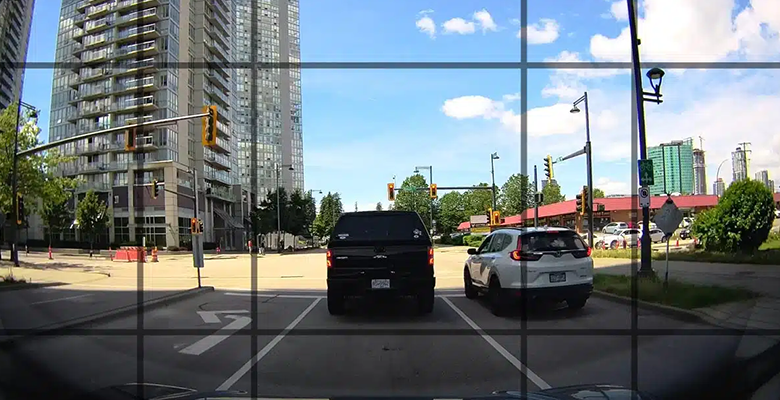
Noise Reduction
Reduces background noise and improves audio clarity in noisy driving environments.
Smart Focusing System
Automatically optimizes focus in changing road and lighting conditions to keep footage sharp.
Intelligent Auto Exposure
Balances light levels so footage stays clear in bright, dark, and mixed-light environments.
Auto Image Correction
Corrects distortion and lighting inconsistencies for more accurate video.
Adaptive Colour and Contrast
Improves contrast and color balance in real time for more useful evidence.
WDR and HDR
Balances shadows and highlights, reduces lens flare, and improves night footage on supported models.
HEVC Compression
Compresses high-resolution video more efficiently to improve transfer time and storage usage without sacrificing quality.
Super Night Vision
Uses Thinkware image signal processing to brighten low-light recordings. Versions can include Parking Mode, Continuous Mode, HDR, and Sony sensor integration.
Dewarping Technology
Reduces edge distortion from wide-angle lenses for a more natural view of the surroundings.
LCD Touch Screen Viewer


Video Playback
Review footage directly on the device without needing another screen.
Live View
Align and monitor the dash cam view in real time.
Settings
Adjust camera settings quickly through the touch interface.
IPS Panel
Provides vibrant colors and wider viewing angles for clearer playback and setup.
Advanced Data Security and Storage
Privacy Lock Mode
Restricts footage access through password protection so video files remain controlled by the vehicle owner.
Supported Memory Card
Thinkware microSD cards are tested for secure dash cam storage and Sudden Power Off Recovery behavior.
Smart File Management
Automatically organizes video files by event type so important footage is easier to locate.
Super Clearing Technology
Improves image quality when the background is too dark or too bright on supported sensor systems.
Anti-File Corruption
Stores footage in dedicated pre-allocated slots to reduce fragmentation and protect footage from bad blocks.
Dual Save Technology
Stores impact footage on both the microSD card and internal NAND flash memory on supported models.
Integrated Thermal Protection


Supercapacitor
A safer alternative to rechargeable batteries, designed for temperature extremes and stable performance.
Thermal Sensor
Built-in thermal sensors and self-protection logic shut the device down during extreme heat to prevent damage.
Safety Camera Alerts and GPS Data

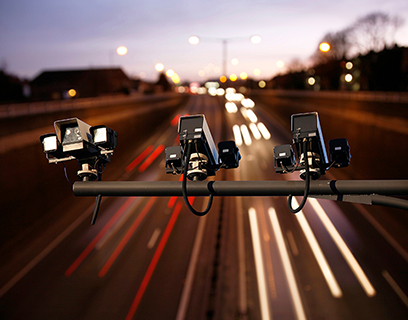
Speed Cameras
Provides real-time alerts for speed camera locations and can account for driving direction.
Red Light Cameras
Notifies drivers when approaching intersections with red light cameras.
GPS Data
Embeds speed, time, and location data into footage on supported models.
Advanced Driver Assistance Systems

Front Vehicle Departure Warning
Alerts when the vehicle ahead starts moving after you have stopped.
Front Collision Warning
Warns when following distance is too close.
Lane Departure Warning
Alerts if the vehicle begins drifting out of its lane.
Rear Collision Warning
Notifies when a vehicle is tailgating within a close distance for several seconds.
Traffic Signal Alert
Provides traffic light change notifications where supported.
Model Dependent
ADAS availability and calibration requirements vary by dash cam model.
Parking Surveillance Mode

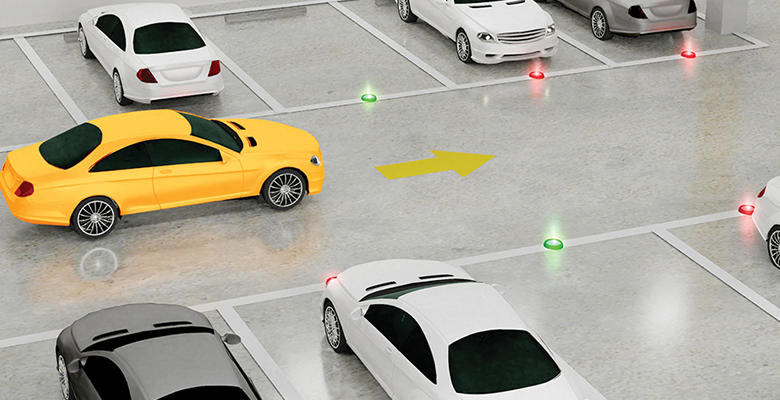

Motion and Impact Detection
Captures footage before and after motion or impact events while parked.
Energy Saving
Uses low-power standby and records impact events to extend parking mode coverage.
Time Lapse
Records at a low frame rate for longer parking coverage without heavy storage usage.
Smart Parking
Switches to lower-power protection when temperature or voltage conditions require it.
Radar Parking
Uses radar to wake the dash cam before impact events on supported models or accessories.
Power Accessory Required
Parking Surveillance requires a hardwiring cable or Thinkware OBD II cable.
Battery Protection and Easy Pairing
Built-In Voltmeter
Monitors vehicle battery voltage during parking mode to help preserve starting power.
Off-Voltage
Turns the dash cam off when battery voltage drops below the selected threshold.
Off-Timer
Powers down after the selected timer expires to conserve battery life.
Wi-Fi
Streams and downloads recordings to iOS or Android devices through the dash cam connection.
Bluetooth
Pairs compatible smartphones more easily with the Thinkware Dash Cam Link App.
App Control
Use the app for footage access, camera settings, and firmware workflows on compatible models.
Find the right feature set
Compare models or shop dash cams by the features that matter most for your vehicle.